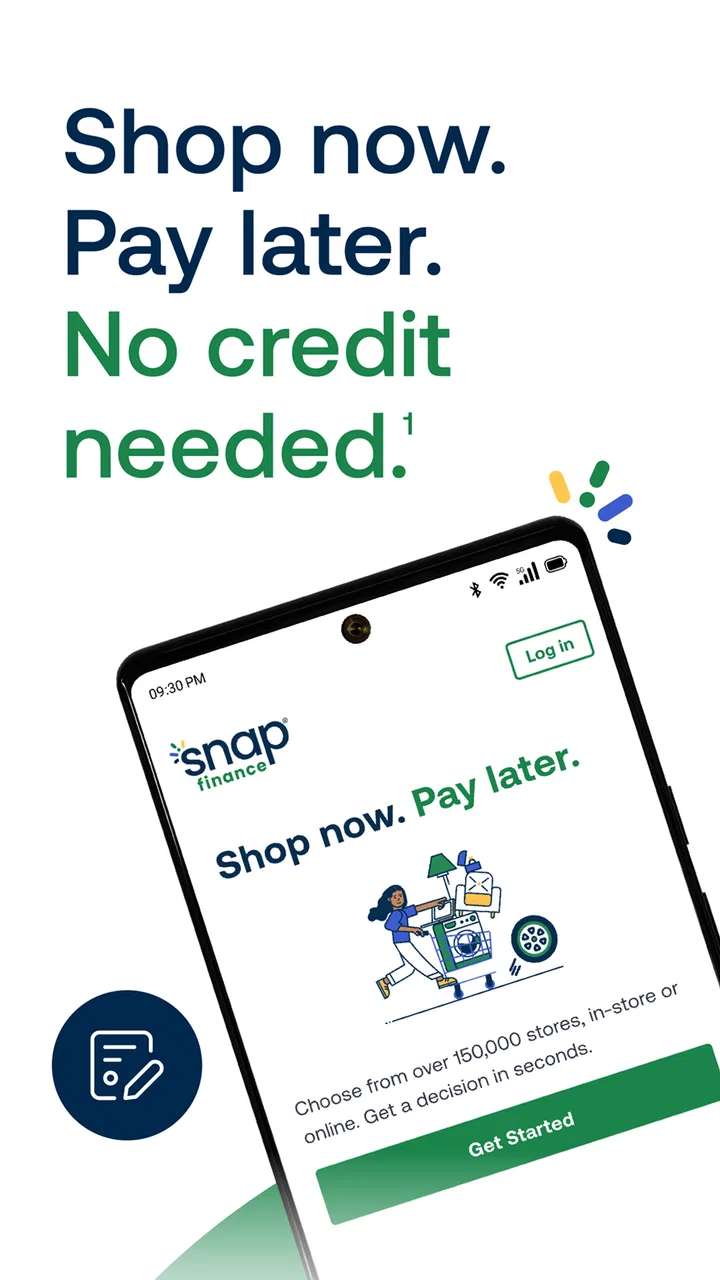
Snap Finance
- 4.8
- Rating
- 500.00K
- Installs
- Free
- Price

 Analysis by App-foxy
When I tried Snap Finance, I approached it less like a regular shopping app and more like a financing tool that happens to sit inside a mobile shopping experience. Its promise is straightforward: apply for a way to shop now and pay later, without making a traditional credit check the center of the process. That can be useful when an essential purchase cannot wait, but it also means the most important part of the experience is not browsing. It is understanding the payment terms before committing.
The app comes from Snap Finance and is available free of charge for everyone. It belongs to the shopping category, although its real purpose is helping users handle purchases through financing. It was released on March 29, 2023, and the current version is 2.2.10543. Compatibility starts with Android 7.0, which makes it accessible to people using older Android phones rather than limiting the experience to recent devices.
Its reception is notably strong, with a 4.8 average from around 6.3 thousand ratings, while the app has passed 100 thousand installs. Those figures suggest that many users find the service useful, but they do not remove the need to read carefully. Financing apps can feel simple at the beginning and become much more consequential when a user reaches the agreement stage.
You May Also Like

 AccuWeather: Weather Radar
AccuWeather Review: A Quick, Clear Forecast for Everyday Decisions
For everyday plans, the best forecast is the one you can understand quickly. AccuWeather makes rain timing, radar, and local conditions easy to act on, with a few trade-offs.

 Hill Climb Racing
Why Hill Climb Racing Still Turns Crashes Into One More Run
A tiny car, a bumpy hill and one more upgrade: Hill Climb Racing keeps resurfacing because its simple chaos makes every near-miss feel personal.

 AliExpress - Shopping App
AliExpress Makes Global Shopping Feel Personal, but Shoppers Bear the Risk
AliExpress turns a global marketplace into a pocket-sized discovery engine. Its reach is useful, its shopping loop compelling, and its trade-offs easy to miss.

 Lords Mobile: Kingdom Wars
Lords Mobile Is a Kingdom-Building Routine, Not a Quick Match
A case-by-case verdict on the building, battles, device demands, and social commitments that make Lords Mobile rewarding for some players and exhausting for others.

 PDF Scanner app - TapScanner
TapScanner Makes Paperwork Easier to Capture, Check, and Share
TapScanner makes scanning with a phone feel less like a rescue operation and more like a dependable step in getting work done. Its capture tools are useful, though not flawless.

 Block Blast!
 Shows How Much a Puzzle Game Can Leave Out
A quiet grid game shows why puzzle players increasingly value instant clarity, repeatable skill and low-pressure play—and where the genre still needs to catch up.
More From Our News Desk
View All News


How Snap Finance feels to use in real shopping situations
I find Snap Finance easiest to judge when I treat it as a decision-making tool rather than a shortcut at checkout. In everyday shopping, the useful question is not simply whether I can spread a purchase out, but whether the commitment still makes sense once I compare it with waiting, paying another way, or choosing a less costly item. That perspective makes the next part—the practical steps—more valuable than a quick first impression.
Readability and navigation matter more than visual polish
My first impression is that this is the kind of app that benefits from a focused, task-based design. A user usually arrives with a specific goal: find out whether financing is available, understand the offer, and decide whether the purchase fits their budget. That is a better way to approach it than opening the app casually and treating it like a general marketplace.
For people who read comfortably on a phone, the important information should be handled in stages rather than rushed. I would take time to distinguish the amount being financed, the payment schedule, and the total obligation. A short phrase such as “pay later” can sound reassuring, but it should never replace reading the actual agreement. The app is most helpful when treated as a decision tool, not as a shortcut around financial planning.
Navigation is easier when I keep one purpose in mind at a time. Instead of jumping between shopping and account areas, I would first identify the purchase, then review the available financing information, and only afterward return to the wider app. This reduces the chance of losing track of which item or offer I was examining.
That workflow is particularly useful for people with attention difficulties. A simple personal checklist can prevent mistakes:
- Confirm the item and purchase amount.
- Read the repayment details slowly.
- Check whether the schedule works with regular income.
- Save or note the key terms before completing anything.
I also recommend using the phone’s own display settings if text feels cramped. Increasing system text size, changing contrast, or enabling a larger display layout can make financial information easier to inspect. These adjustments are not a substitute for good app design, but they can make a meaningful difference for users with reduced vision or visual fatigue.
One practical strength is that the app is not restricted to newer Android hardware. Support beginning with Android 7.0 gives people with older phones a chance to use the service without upgrading solely for this purpose. That matters in real households, where the person who needs financing may not be using the newest device.
Motor and sensory considerations during the application process
Financing applications demand more careful interaction than ordinary browsing. A mistaken tap on a product page is usually harmless; a mistaken tap while accepting terms can have lasting consequences. I would therefore use Snap Finance in a quiet moment, with both hands available if needed, rather than while walking through a store or handling several tasks at once.
For users with limited dexterity, the best strategy is to slow down and avoid repeated rapid taps. A larger system display can make controls easier to target, while voice input on the phone may reduce typing for parts of the process. I would still review every automatically entered field manually, because convenience tools can introduce errors in names, addresses, or numbers.
People who are sensitive to visual clutter may find a focused, single-purpose session easier than browsing for a long time. I would close unrelated apps, reduce notifications, and keep the purchase details nearby. This is a small change, but it turns the experience into a controlled task instead of a stream of interruptions.
Users with hearing loss should not need to depend on audio cues to understand a financial decision. The safest approach is to rely on the written information shown in the app and review the final details visually. Conversely, someone with low vision may benefit from a screen reader or magnification tools built into the phone. Because financing terms are precise, I would listen to important text more than once if a screen reader is being used.
There is also a cognitive accessibility issue that is easy to overlook: financing language can be tiring even when the interface itself is clear. I would break the process into short sessions if necessary. It is better to pause before accepting an offer than to continue while confused. A user should be able to explain the repayment plan in their own words before proceeding.
The most accessible habit is not simply enlarging the screen; it is creating enough time to verify every financial detail. That advice applies especially to users who process written information slowly, use assistive technology, or need another person to help review the agreement.
Situational access: where the app fits and where it does not
A realistic use case would be replacing a necessary household item when waiting for a future payday is not practical. I can imagine using the app in a store, checking whether a purchase can be financed, and then stepping aside to review the terms away from the pressure of a checkout line. That extra pause is important. A salesperson or a queue should not decide how quickly I accept a financial commitment.
Another situation is using the app from home with a family member or trusted support person. This can help someone who finds financial language difficult, has limited vision, or simply wants a second pair of eyes. The support person should help interpret information rather than take control of the account, and the account holder should remain the person making the final decision.
Older Android support can also matter when a user has limited access to technology. Someone borrowing a family member’s phone or relying on an inexpensive older handset may still be able to use the app. That makes Snap Finance more practical than services that require a newer operating system, at least from a device-compatibility perspective.
On the other hand, I would not use it as a last-second impulse tool. Shopping while tired, stressed, distracted, or under pressure can make deferred payments seem less significant than they are. If the purchase is optional, waiting and comparing ordinary payment options may be the better choice.
The app may also be useful for people who do not have a conventional credit history, since its store summary emphasizes that no credit is needed. I would interpret that as an invitation to explore eligibility, not as a guarantee that every user will receive the same offer or that financing will be cost-free. The individual terms still determine whether the arrangement is sensible.
What it does better than ordinary alternatives
Compared with paying the full amount immediately, Snap Finance can help spread the burden of a purchase instead of removing the entire cost from one paycheck. That can be valuable for a necessary item, especially when timing matters. The trade-off is that the user takes on an obligation, so convenience should be weighed against the total repayment and schedule.
Compared with using a credit card, the appeal is that the service is presented specifically around shopping finance and does not require a traditional credit-based approach in the same way. Some users may find that more approachable. A credit card may still be better for someone who already has a low-cost card, understands its terms, and wants broader spending flexibility or rewards.
Compared with borrowing from a friend or family member, the app offers a more formal process and does not depend on a personal relationship. That can feel less uncomfortable. However, a personal loan with clearly understood terms may be more suitable if it offers a lower overall cost or more flexible repayment structure.
Compared with simply waiting and saving, financing is faster but less forgiving. Saving avoids a new payment obligation, while Snap Finance is designed for people who need to act sooner. My view is that the app makes the most sense when the purchase is genuinely important and the repayment plan is already realistic, not when it is being used to justify something that can easily wait.
Remaining barriers and points that deserve caution
The largest barrier is financial comprehension, not installation. A clean mobile interface cannot make an expensive agreement inexpensive. Users should look beyond the amount due at the beginning and consider the full cost, timing, and consequences of missed payments or an overstretched budget. I would never rely on a headline or a short summary as the complete explanation.
Eligibility language can also create uncertainty for people who expect an automatic approval. The phrase “no credit needed” may attract users who have been excluded by conventional lenders, but it should not be read as “no assessment” or “no responsibility.” The app can open a path to financing, while the user still needs to judge whether the resulting obligation is manageable.
Accessibility can vary by person and by phone. A user with a small screen, older display, limited dexterity, reading difficulty, or cognitive fatigue may need system-level adjustments or help from a trusted person. I would test the app before reaching the point of purchase, so there is time to enlarge text, enable assistive tools, or prepare questions.
Privacy and account security deserve ordinary caution as well. I would use a private connection, avoid sharing login details, and make sure the phone is locked. If another person is helping with accessibility, I would supervise the process and avoid handing over more account control than necessary.
There is also a social barrier: some users may feel pushed to decide quickly in a retail setting. My solution is simple but effective—do not complete the agreement at the counter until the terms have been read somewhere calm. If the app does not make a detail understandable, that is a reason to pause and seek clarification, not a reason to guess.
Who should use it, and who should choose something else?
I think Snap Finance is worth considering for an adult who needs a purchase soon, has limited or no traditional credit history, and can map the repayments against dependable income. It is also a reasonable option for someone using an older Android phone, because the operating-system requirement is not limited to current devices.
I would be more cautious recommending it to someone whose income changes sharply from week to week, who is already behind on other payments, or who tends to make shopping decisions under pressure. In those situations, the speed of financing may amplify an existing problem. Waiting, buying a less expensive item, or discussing a lower-cost borrowing option could be safer.
It is not the best alternative for a user who already has access to a clearly cheaper payment method. A debit-card purchase, savings, or a transparent personal loan may be preferable when it avoids extra cost or gives better control. The app’s value is situational; it is not automatically the cheapest route simply because the initial process feels convenient.
For someone who needs extensive support with reading or decision-making, I would use it only with a trusted helper and plenty of time. The helper should review the terms aloud or in enlarged text, but the user should understand what they are agreeing to. Accessibility should increase independence, not turn a financial decision into something done on someone else’s behalf.
My inclusive verdict after using the app
Snap Finance is a focused shopping app with a clear practical purpose: it gives eligible shoppers a way to explore pay-later financing without making traditional credit the only doorway. Its free availability, broad older-device compatibility, and strong user reception make it approachable for many people. I especially see value for users who need a necessary purchase before they can comfortably pay the whole amount.
Its inclusive potential depends heavily on the user’s preparation. Larger text, phone accessibility tools, a quiet environment, and support from a trusted person can make the process easier for people with visual, motor, sensory, or cognitive needs. The app is most usable when the user controls the pace instead of being hurried by a checkout situation.
My final recommendation is conditional but positive: consider it when the purchase is important, the repayment schedule is understandable, and the total obligation fits comfortably within the budget. Skip it when the purchase can wait, when another option costs less, or when the terms remain confusing after careful review. Snap Finance can improve access to shopping finance, but the real measure of accessibility is whether every user can understand the commitment before accepting it.
FAQs for Snap Finance
01What is Snap Finance and how does it work?
Snap Finance is a financial service that provides easy and quick financing options for customers who may not qualify for traditional credit. It offers a lease-to-own purchase agreement, allowing users to acquire products immediately and pay over time. This is particularly beneficial for those with no credit or poor credit history.
02Is Snap Finance available for both Android and iOS devices?
Yes, Snap Finance is available for both Android and iOS devices. Users can download the app from the Google Play Store or the Apple App Store, making it accessible to a wide range of smartphone users who wish to manage their financing options on the go.
03Are there any fees associated with using Snap Finance?
Snap Finance does charge fees, which include interest and possibly a processing fee, depending on the terms of the agreement. It’s important for users to review the terms and conditions carefully to understand the total cost of financing, including any additional fees that may apply.
04How does Snap Finance impact my credit score?
Snap Finance conducts a soft credit check, which does not impact your credit score. However, your payment history with Snap Finance could be reported to credit bureaus, potentially affecting your credit score positively if you make timely payments, or negatively if you miss payments.
05What types of products can I purchase using Snap Finance?
Snap Finance can be used to purchase a wide variety of products, including furniture, electronics, appliances, tires, and more. Users should check with participating retailers to ensure their desired products are eligible for financing through Snap, as availability may vary.
Pros
- User-friendly interface enhances navigation.
- Quick approval process for financing.
- No hidden fees in payment plans.
- Flexible payment schedules available.
- Wide range of partnering retailers.
Cons
- High interest rates on financing.
- Limited to certain geographical areas.
- Requires consistent income verification.
- Not all retailers participate in program.
- No early repayment discounts.

Snap Finance
Gallery